Turn scattered feedback into clear themes
Three sorting prompts help groups move from a pile of comments to organized insights they can act on.

Tool
A feedback synthesis tool that helps students and teams sort what was confirmed, what became clearer, and what needs correction so they can turn feedback into next actions.
Use it when a group has gathered feedback and needs to find patterns, decide what matters, and choose what to do next.
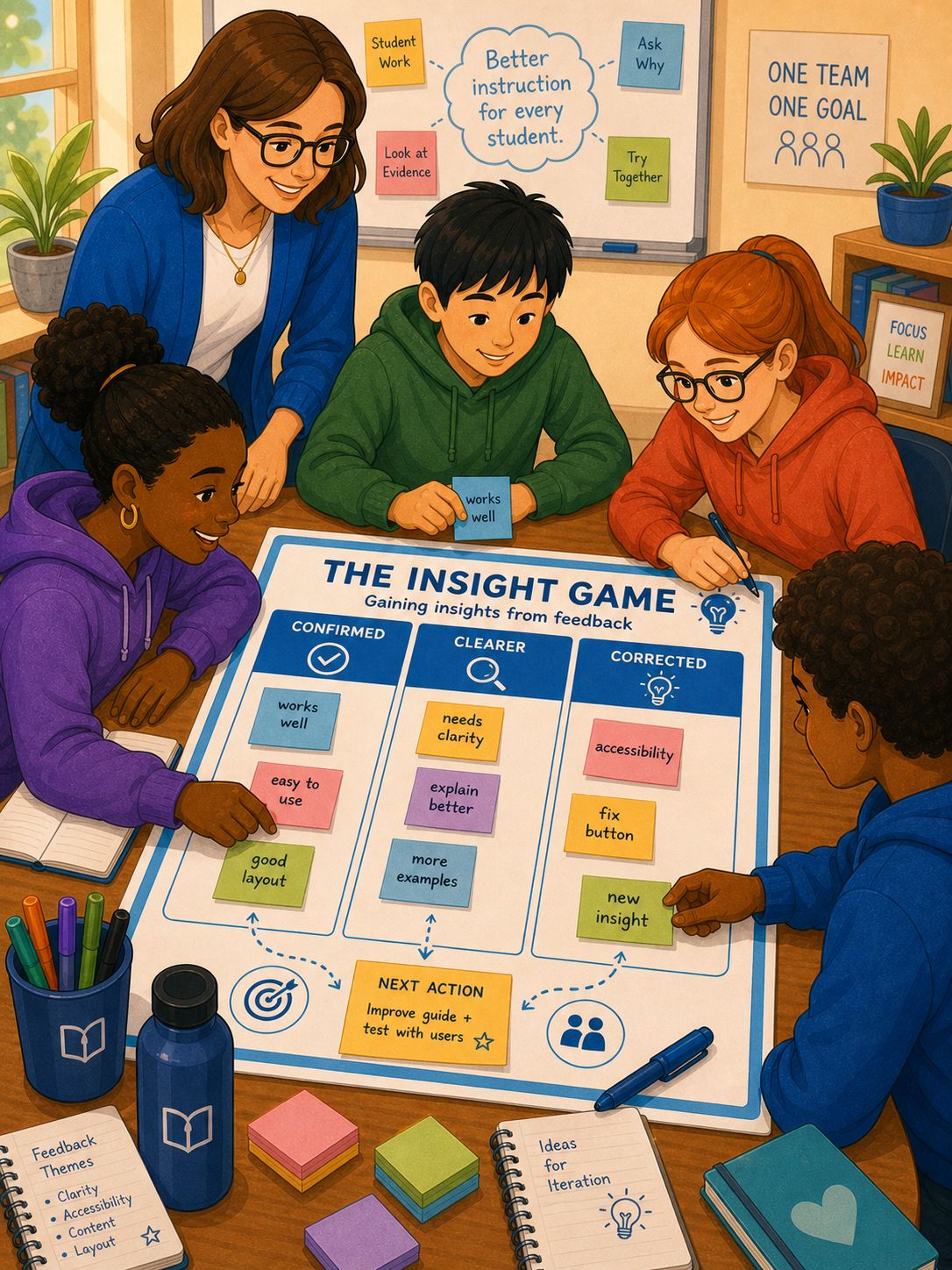
Three sorting prompts help groups move from a pile of comments to organized insights they can act on.
Instead of reacting to every comment, teams identify what matters most and what needs attention first.
Confirmed, clarified, and corrected insights translate directly into priorities for the next sprint or iteration.
The Insight Game gives everyone the same simple structure to sort feedback into actionable themes.
What did we already suspect that the feedback now validates?
What new insight, connection, or pattern emerged that we did not see before?
What assumption, approach, or detail was off and needs to change?
Collect all the comments, advice, and observations from the review, critique, or feedback session. Write each piece on a sticky note or card so it can be moved.
Ask the group to place each piece of feedback under one of the three prompts:
Cluster similar items within each column. If several people confirmed the same strength, that is a signal. If multiple corrections point to the same issue, that is a priority.
Give each cluster a short theme name. This makes the insight portable and easier to communicate to others who were not in the room.
Decide what to act on now, what to monitor, and what needs more discovery. Record these decisions in the Sprint Backlog or next learning plan.
Feedback is only useful when it becomes insight.
Most groups collect feedback and then struggle to do anything with it. Comments get forgotten, good advice gets lost in volume, and the same issues come up again. The Insight Game creates a short sorting ritual that turns feedback into organized themes the group can actually use.
The brain processes organized information better than a random list. When feedback is sorted into confirmed, clarified, and corrected, the group can see patterns instead of feeling overwhelmed. This structure also reduces defensiveness because no single comment is treated as the whole truth.
Do not skip the pattern-finding step. Sorting is not enough. The group needs to name the clusters and decide what to do about them. That is where insight becomes action.
A team shares a project prototype and gathers peer feedback using the Advice Game. Afterward, they run the Insight Game. They confirm that their navigation is clear, they clarify that users want more visual examples, and they correct a misunderstanding about their target audience. The team updates their Sprint Backlog with two new tasks and one revised Success Criterion.
This resource supports feedback synthesis, critical thinking, reflection, and collaborative improvement. These are suggested connections, not a formal standards alignment.
Download the free printable template with the three Insight Game prompts and try it after your next review, critique, or feedback round.
Download for free